


Welcome to Venwall
Venwall connects property owners (like you) with renters interested in booking a space for filming, photoshoots, events or advertising campaigns.

How do renters find your location?
Venwall is the only location marketplace with full-text search, allowing renters to search by style, name, area, and/or features and types.
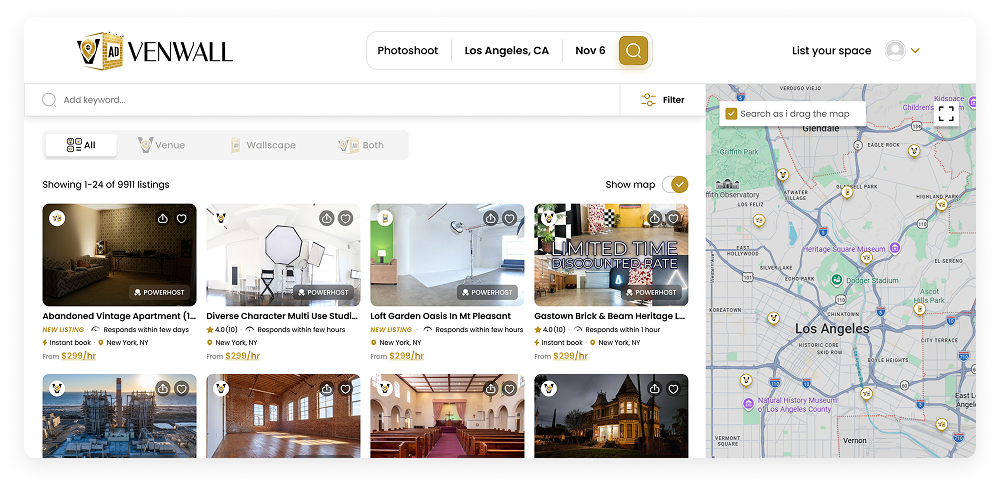
To maximize your chances of being found in search, make sure to mention anything unique that stands out about your listing in your description or title.
Also make sure to select all features your property has. Do not select features or styles that do not pertain to your listing. This will make it harder for your location to be found.
Good and bad host behavior
Our philosophy is to recognize and reward top hosts by improving the visibility of their listings. To support this, we’ve introduced a Listing Score. Listings with higher scores are more likely to appear at the top of Venwall’s search results, increasing visibility, inquiries, and bookings.
Things that will improve your score:
- Bookings & Reviews
- Responding to every inquiry
- Keeping all communication on Venwall
- Being a Powerhost
Things that will hurt your score (and may result in suspension):
- Booking offline
- Being unresponsive
How Your Listing Ranking Works
The better your rating, the more visible your listing becomes in search results. Higher visibility leads to more views, more inquiries, and a steady stream of bookings. Several factors influence your ranking—and the good news is, you have full control to improve it.
-
Secure bookings
Your first booking and total number of completed bookings play a major role in shaping your ranking.
-
Stay consistent
Regular and recent bookings signal that your listing is active and in demand.
-
Make booking effortless
Turning on Instant Book removes friction and helps guests reserve your space faster.
-
Respond promptly
Quick and reliable responses build trust and encourage guests to book with confidence.
-
Deliver great experiences
Strong, positive reviews boost your credibility and overall performance.
-
Become a PowerHost
Maintain an excellent response rate and complete at least 10 bookings to earn PowerHost status and gain an extra visibility boost.
Review your listings
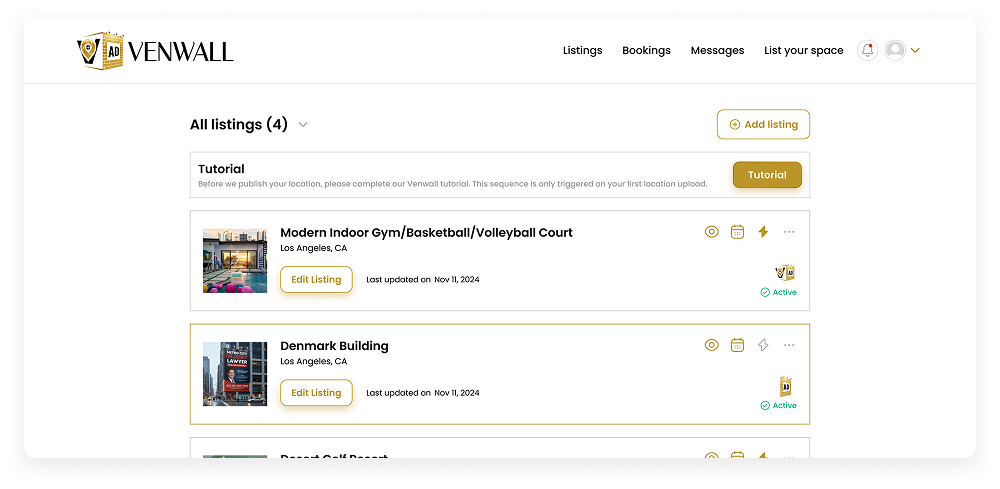
This is where your listing(s) will be live. Common edits like availability, pricing and photos are available directly from this page. To edit other things like your description or features, click the “Edit listing” button.
Venwall Inbox
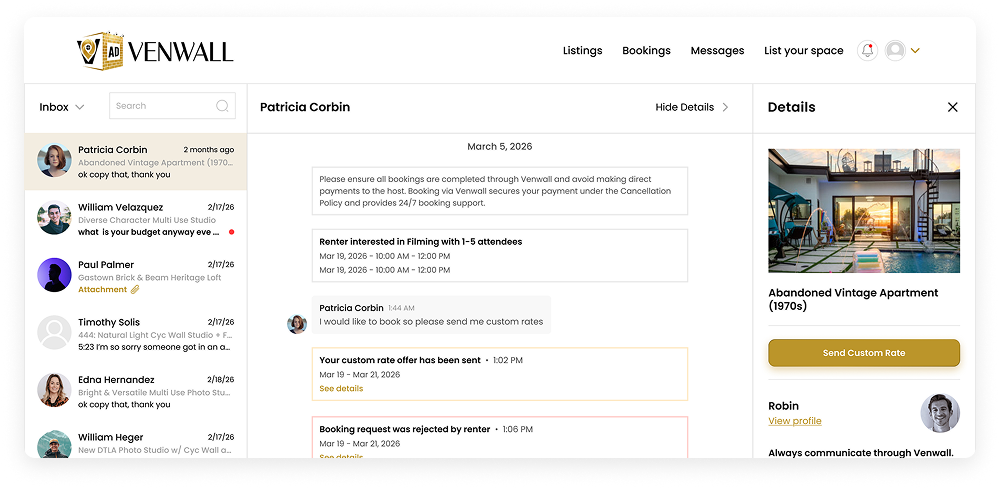
Your Venwall Inbox is the primary place to receive messages and booking inquiries from renters interested in your location. Make sure to reply through the Inbox & Venwall emails to stay connected.
Timely and consistent responses improve your response rate and response time, which helps boost your listing’s visibility in search results.
Please note that repeated failure to respond may lead to account restrictions or suspension.
Information to Confirm with Renters
If a renter hasn’t shared all the details, be sure to ask the following questions:
- What is the intended use of the space?
- Which areas of the property will be accessed?
- Do you have valid insurance coverage?
- Will a permit be required for your activity?
- Are you comfortable with the listed pricing?
Gathering this information helps you properly evaluate the request, understand how your property will be used, and assess any potential impact before confirming a booking.
Important Notice: Before any shoot, advertising campaign or event begins, always request and obtain a Certificate of Insurance (COI) from the renter. This ensures protection for your property in the event of damage.
Confirming the Booking
Once a renter decides they want to book your location, they will submit a booking request through Venwall for you to review.
Responding quickly and to every chat will help your response time and response rating, which in turn will help you appear higher in search.
Unresponsiveness is taken seriously and can result in account suspension.
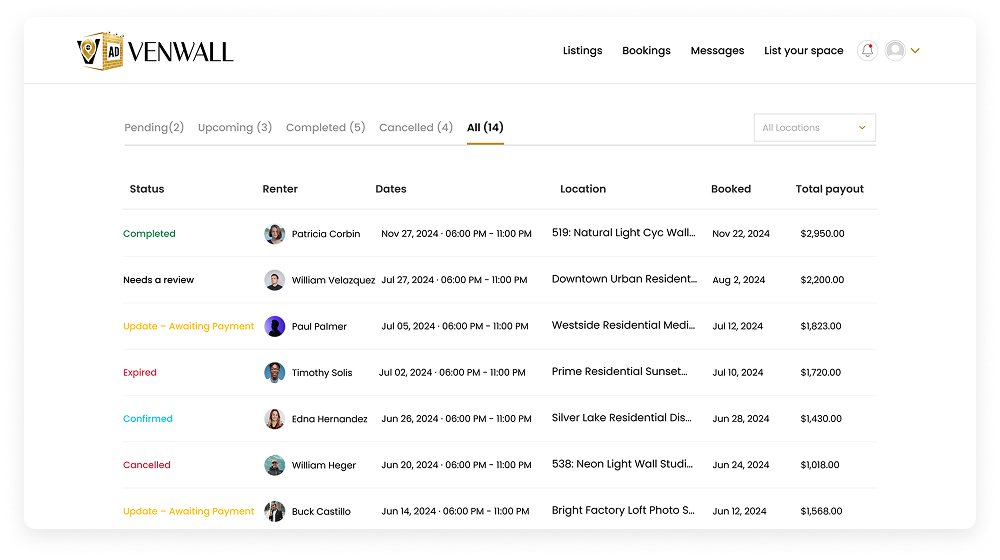
If all looks good, all you have to do is press “approve.” If you want to send back a counter-offer or adjust something on their request, you can click the “custom rate” button to edit their request and send it back to them.
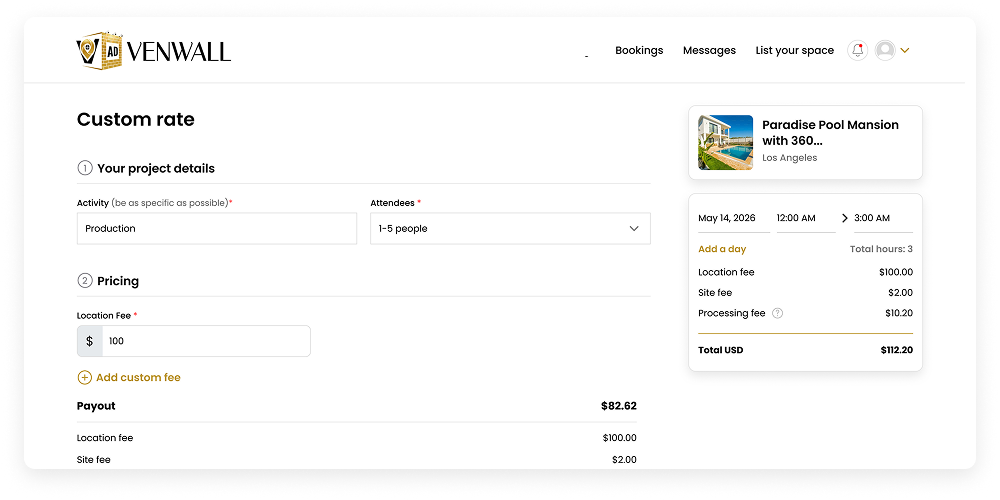
The renter will receive a notification of your custom rate and will be prompted to approve it which will confirm the booking.
Custom rates and negotiation
You can also send a custom rate to a renter from the booking chat directly. This is useful in instances where you negotiate a rate that is different than what you have listed.
How do you get paid?
Venwall initiates your payout on the first day of your booking via direct deposit or check. To receive payment for your first booking, you’ll need to complete your bank or check details and submit a tax form under Account Settings > Payouts.
What commission does Venwall take?
Venwall charges a 19% commission to support search visibility that helps renters discover your location, along with platform maintenance, ongoing development, marketing efforts, and 24/7 customer support.